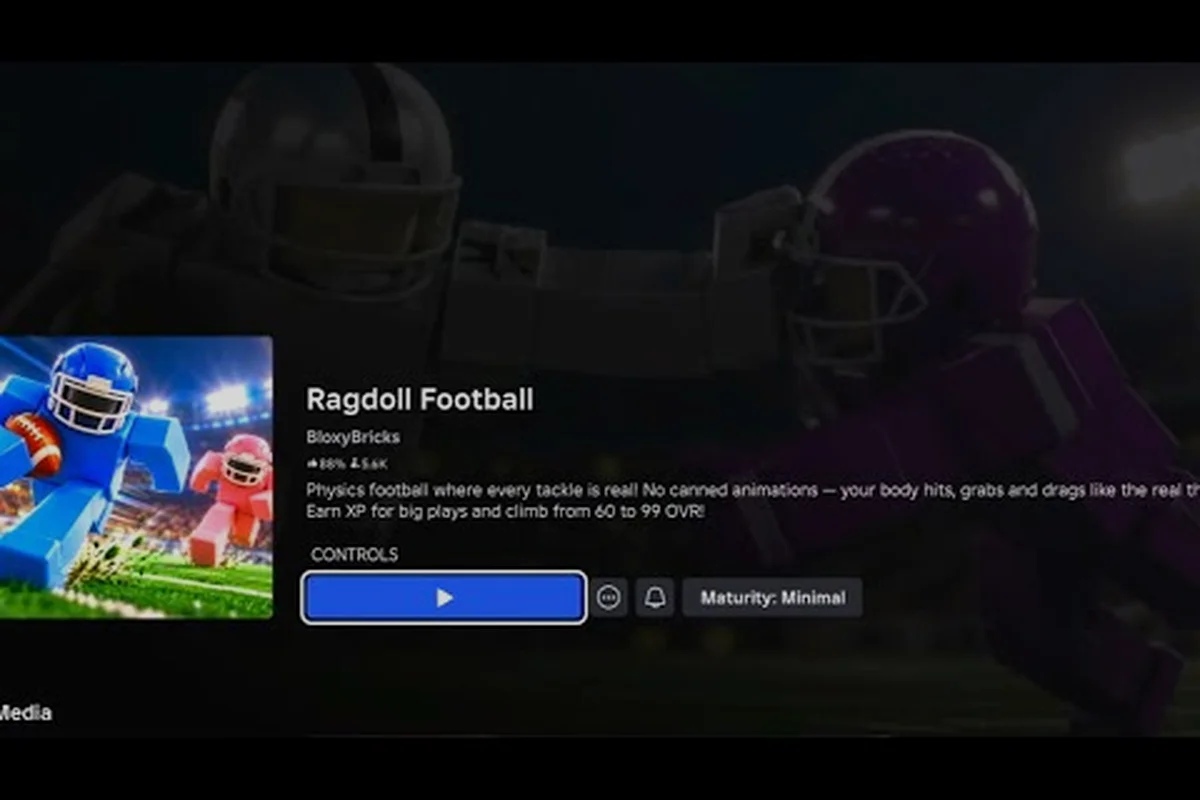
Ragdoll Football flips traditional gridiron design on its head by letting ragdoll physics decide every collision. Understanding how tackling works, when to dive, and how to launch, throw, and kick separates highlight-reel players from the rest. This guide covers the full physics-driven tackling loop, including hit timing, sprint angles, dive triggers, and the offensive plays that make those monster hits possible.
How Tackling Functions in Ragdoll Football
Tackling in Ragdoll Football is not a canned animation triggered by a hitbox toggle. Every collision between two players is resolved through the same ragdoll physics engine that drives the rest of the game, which is why community highlight reels are full of accidental pancake stacks, flailing limbs, and broken ankles. According to a community clip from Johnwitta9's Ragdoll Football gameplay footage, the engine produces huge, juke-induced pileups whenever a defender cuts the wrong angle, and that's not a glitch — it's the system working exactly as designed.
The Core Physics Loop
When two players' bodies overlap, the engine calculates a collision impulse based on each player's Velocity Vector, Body Mass, and Sprint State. The higher the closing speed, the larger the resulting impulse, and the further the struck player ragdolls. A stationary defender who gets hit by a full-speed ball carrier will fly further than a moving defender who meets that same carrier head-on, because the relative velocity is greater in the first case.
This collision-based system produces three observable outcomes that map directly onto the physics math performed during contact: a high-impulse exchange drives the struck player far downfield and frequently separates ball-carriers from possession, while a marginal impulse registers only as a brief stagger. Tuning Velocity Vector against Body Mass is the only way players can deliberately shift which branch of the outcome tree they trigger on a given hit, making this loop the central dial for both running plays that absorb contact and tackling decisions on defense.
-
Knockdown: The struck player's body ragdolls and they drop the ball if carrying.
-
Stumble: A short stagger that lets nearby defenders finish the play.
-
Bounce-Off: Both bodies tumble, often creating fumble recoveries for either team.
Why Body Mass Matters
Each player's mass is tied to the character model rather than to any in-game stat. Heavier body types absorb more impulse and ragdoll less dramatically, while lighter body types launch further on contact. Community testing reported by players on Roblox clip compilations confirms that picking a stocky avatar at the lobby screen can turn what would be a clean knockdown into a glancing stumble, which often swings close plays at the goal line.
Hit Timing Windows and Sprint Angles
Clean tackles are not about who clicks the button first. They are about who times the collision inside the right Hit Window while sprinting from the right angle. The hit window is the brief stretch of frames during which a defender's body model is fully extended in a tackle pose and capable of delivering maximum impulse to the carrier.
Reading the Hit Window
The hit window opens the instant the defender commits to a tackle input and closes when the body begins to collapse from the impact, giving roughly a 0.2-second active frame where impulse vectors are calculated from sprint speed, body extension angle, and point-of-contact height on the carrier's ragdoll mesh. Three states define it, and timing the commit at the carrier's near shoulder — rather than from behind or at the hip — is what separates a maximum-impulse clean knockdown from a passive bump that lets the runner shrug off the contact.
| State | Body Position | Impulse Delivered | Risk |
|---|---|---|---|
| Pre-Commit | Upright, tracking | None (passive bump) | Carrier bounces off |
| Hit Window | Extended, low center | Maximum | Clean knockdown |
| Post-Commit | Collapsing, airborne | Low | Defender flies past |
The Pre-Commit state is the most common mistake beginners make. They see the carrier, mash the tackle button, and end up bumping the ball carrier from the side, which is exactly the wrong contact for a physics tackle. According to a Ragdoll Football big-hit compilation, every clean hit in the highlight reel came from a defender who held their sprint and committed at full extension, not from a button-masher.
Sprint Angles and Cut Pursuit
Approach angle is the second half of the timing equation, working hand-in-hand with sprint velocity and contact height to determine the type of ragdoll reaction the ball carrier produces. The physics engine resolves tackles as a momentum vector collision, so the defender's incoming bearing relative to the carrier's facing direction controls whether the carrier spins, tumbles, or pins flat — and three angles dominate the meta.
-
Head-On (0°): Maximum impulse on both bodies, often a mutual knockdown.
-
45° Cut: The defender redirects the carrier sideways, producing a clean fumble and a clear recovery lane.
-
Shoulder-Lever (90°): The defender's shoulder leads the contact, producing a Hitstick Effect that ragdolls the carrier without dropping the tackler.
The 45° cut is the bread-and-butter angle for linebackers in this physics system, because the redirected ball carrier tumbles into open space where the next defender can finish the play. For players who want a deeper breakdown of dive timing and how dives chain into tackles, the Ragdoll Football big hits tricks guide covers the sprint-to-dive pipeline in detail.
Ragdoll Football Dive Mechanics and the Hitstick
Diving is the single most powerful defensive tool in the game, but it is also the riskiest, because a mistimed dive leaves the defender on the ground for roughly two seconds of recovery frames. Knowing when to commit is the difference between a Hitstick and a wasted possession.
The Dive Trigger Window
The dive button can be pressed at any time, but the engine only treats the input as a Power Dive when the defender is sprinting at full speed and the input happens within roughly 6 frames of the carrier entering tackle range. A dive outside that window becomes a Soft Dive with reduced impulse, which often lets the carrier bounce off and continue the play.
| Dive Type | Sprint Required | Carrier Range | Impulse Tier | Typical Result |
|---|---|---|---|---|
| Power Dive | Yes (100%) | 0–2 body lengths | S-Tier | Carrier flies, ball pops |
| Standard Dive | Partial (50%+) | 1–3 body lengths | A-Tier | Knockdown, possible fumble |
| Soft Dive | No | Any | B-Tier | Glancing hit, carrier stumbles |
| Late Dive | Any | 4+ body lengths | C-Tier | Miss, defender grounded |
The Power Dive is the move every highlight clip is built on. The trick is sprinting into position early and timing the dive input at the last possible frame before contact. Players who consistently land Power Dives report that the input feels almost late, because the human reaction time pushes them to dive early, while the engine rewards late-and-fast rather than early-and-soft.
Recovery Frames and Chain Tackles
After a dive, the defender is on the ground for a recovery window that scales with dive power. A Power Dive leaves the defender grounded longest, which is the trade-off for the larger impulse. Smart defenders chain dives by lining up a second player to hit the carrier the moment the first defender ragdolls. The community refers to this as a Combo Hit, and it produces the multi-player pileups that show up in almost every Roblox clip compilation of the game.
If your Combo Hit still fails to dislodge the ball carrier because of input latency, the usual culprit is mistiming the dive button rather than weakness in the chain itself. For a complete list of which buttons trigger dives, throws, and kicks across PC, mobile, and console — including the exact hold-vs-tap distinction that separates a Power Dive from a Quick Dive — the Ragdoll Football tackle button controls reference covers the full input map.
Offensive Plays That Set Up Big Hits
Defensive hits are only as good as the offensive play that brings the carrier into range, and the type of snap call directly shapes which tackling angles are available — sweep runs pull defenders toward the sideline and force open-field dive mechanics, short passes cluster bodies near the line of scrimmage for high-impact collision pops, and deep throws let trailing safeties build a full head of steam for a launching hit. Reading the offensive call before the snap is what separates reactive tacklers from decisive ones, since a defense that recognizes a run vs. a pass within the first step can pre-align its pursuit lane and meet the carrier at the right shoulder rather than chasing from behind.
Running Plays and Tackle Bait
The most common setup for a Hitstick is a simple inside-zone run, because the carrier's path is predictable and the linebackers know exactly which gap to fill. According to the Wikipedia touchdown article, carrying the ball into the end zone is the goal of every offensive series, and the physics engine makes that goal line a chaos zone where small mistakes turn into massive pileups.
| Running Play | Carrier Path | Best Defender Counter | Hit Type Produced |
|---|---|---|---|
| Inside Zone | A-gap, downhill | Linebacker fills A-gap | Power Dive from front |
| Stretch Run | Outside, sweeping | Edge defender cuts inside | 45° Hitstick |
| Draw | Delayed A-gap | MLB reads QB eye | Stumble + Combo Hit |
| QB Scramble | Freeform | Pursuit angle from behind | Bounce-Off or fumble |
Passing Plays and the Launch Mechanic
The throw button in this game is not a simple catch-and-run input. It triggers a Launch Mechanic that physically flings the ball toward the receiver, and the ball's flight path depends on the Aiming Throw angle. A pass thrown too high ragdolls awkwardly and is easy to intercept, while a pass thrown on a flat trajectory lands fast and gives the receiver a clean catch animation.
Three aiming angles dominate every passing play, and each one changes how the ball behaves once it leaves the quarterback's hand. A flat trajectory keeps the projectile under 10 in-game yards of arc, a lofted arc rises above defensive linebackers for high-point catches, and a held bullet pass trades arc for raw velocity to pierce tight windows near the line of scrimmage.
-
Flat Trajectory: Quick release, easy catch, short gain.
-
Lofted Arc: Slower release, contested catches, big play potential.
-
Bullet Pass: Held input, fastest velocity, tight window.
Understanding the launch mechanic is critical for offensive players, because every completed pass is a physics projectile that interacts with the receivers' bodies on arrival. A receiver who jumps into a bullet pass gets a cleaner catch than a receiver who stands still, which is the same principle that makes receiver routes and timing more important than raw passing power.
For a wider overview of how offensive and defensive physics interact across server types and match lengths, the Ragdoll Football servers explained guide is a useful complement. On a 5v5 standard match, the same Launch Mechanic that governs a quarterback's passing arc also dictates how incoming defenders close in during tackle windows, since both interactions rely on ragdoll mass, momentum transfer, and server tick rate. Players who tune their bullet pass velocity on a 25-yard out route often notice that defensive backs arrive roughly 0.4 seconds later on low-population servers compared to full 10v10 lobbies, which directly affects how much lead time a receiver needs to secure a contested catch before the first defender collision resolves.
Kicking Plays and Special Teams Tackling
Kicking introduces a different physics model, because the kicker is launching the ball itself rather than throwing a player. Field Goal Kicks are the most common special teams play, and they follow a simple rule: aim, hold, and time the kick input to coincide with the kicker's forward leg reaching full extension. A mistimed kick produces a weak line drive that the returner catches on the run, which then sets up a long return tackle.
Punts work the same way but with higher arc. The punt coverage unit has roughly four seconds to reach the returner, and the longest highlights in the game come from punt coverage tackles where the gunner sprints down the sideline and hits the returner with a full-speed Power Dive.
| Kick Type | Arc | Coverage Time | Tackle Setup |
|---|---|---|---|
| Field Goal | Low, straight | None (dead ball) | N/A |
| Punt | High, deep | ~4 seconds | Gunner sideline dive |
| Kickoff | Mid, mid-field | ~3 seconds | Lane fill, combo hit |
Combining Tackle Reads, Angles, and Power Dives
Tackling in Ragdoll Football rewards preparation over reaction. The defender who reads the play, lines up at the right angle, sprints into position, and commits at full extension wins almost every collision against a carrier who is still trying to juke. Diving adds a second layer of risk and reward, and the players who climb the OVR ladder fastest are the ones who learn to chain Power Dives with recovery-friendly positioning.
Offensively, the same physics engine that punishes mistimed tackles also punishes mistimed throws and kicks. The launch mechanic on passes, the arc on punts, and the dive on returns all flow from the same body-velocity model, which is why a player who learns the defensive side almost always improves on offense as well.
The takeaway is simple: angle beats speed, timing beats angle, and commitment beats everything. That hierarchy is why a defender who pre-rotates 15° off the carrier's inside hip and times the hold-input to the last 3 frames of approach wins collisions that a faster but flat-angle sprinter loses. Sprint into the right gap, hold the input until the last frame, and trust the Power Dive physics to convert approach velocity plus lean into a clean wrap-up — even when the carrier chains a late hurdle into a juke, the committed contact still wins the possession roll the majority of the time.
Frequently Asked Questions
What is the easiest way to land a clean tackle in Ragdoll Football?
Hold sprint until the carrier is within one body length, then commit to the tackle input. Trying to tackle while jogging or while button-mashing produces glancing bumps instead of clean knockdowns, because the engine only delivers maximum impulse during the full-sprint hit window.
How does the dive button actually work in Ragdoll Football?
The dive button is most effective when pressed at full sprint and within roughly six frames of the carrier entering tackle range. That combination produces a Power Dive with S-Tier impulse, which is the input every highlight reel is built on. Dives outside that window are treated as Soft Dives and rarely stop the carrier.
Can I pass the ball to a specific receiver with the aiming throw?
Yes, by tilting the left stick or dragging the on-screen aim reticle in the direction of the intended receiver before the throw input. A flat trajectory works for short routes, a lofted arc is better for deep posts, and a held bullet pass beats tight man coverage if the receiver can break free at the stem.
What kick type should I use on fourth down?
A field goal is the safe play from inside the 40-yard line, while a punt is the correct call anywhere outside that range. Kicking a field goal from long distance produces a weak return that often turns into a momentum-swinging tackle for the other team's coverage unit.
Why does my character fly further than the carrier on some hits?
The body mass of each model affects how impulse is distributed. A lighter avatar will ragdoll further on contact than a heavier one, even when the closing velocity is identical, which is why avatar selection at the lobby screen has a real impact on tackle outcomes.