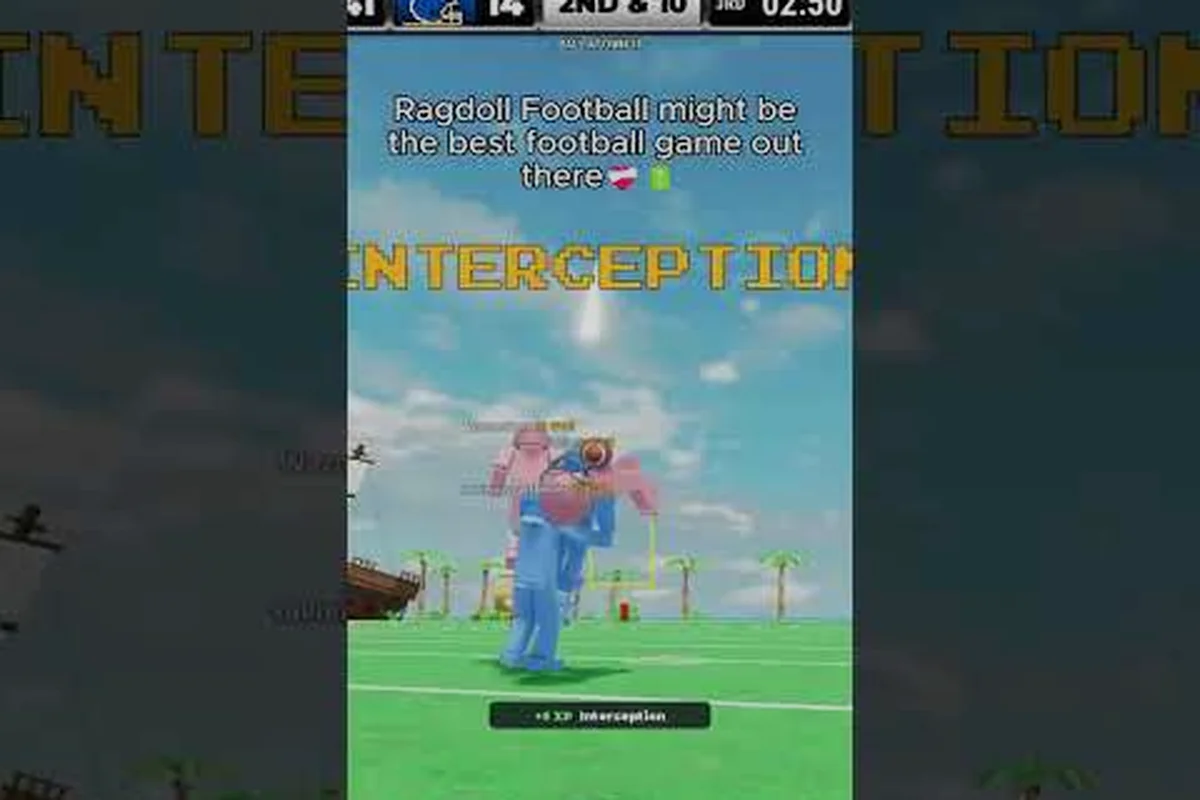
Joining a match in Ragdoll Football feels chaotic the first time you click play, because the title drops you into a live, physics-driven arena where bodies flop, the ball bounces, and tackles turn into slow-motion pileups. The system behind that chaos is a network of public, private, and region-pinned servers, and once you understand how they connect to matchmaking, lobbies, and the live physics simulation, every snap starts making sense. This walkthrough breaks down how the game's sports mechanics, ragdoll physics engine, and tackling logic all run on top of those servers, so your next queue dive lands faster and cleaner.
How Ragdoll Football Servers and Matchmaking Work
Every play in Ragdoll Football runs on a multiplayer server, and the matchmaking system is the layer that decides which one you land in. The Roblox client opens a public server pool by default, then routes you through a quick lobby where team colors, roster size, and quarter length are set before the snap. Community testing shows servers fill on a first-come basis within 5 to 15 seconds during off-peak hours, while prime time can push the queue past a minute if you are filtering for a specific region.
Server Types and What Each One Does
The game splits its multiplayer layer into three server types, and each one changes the feel of a match.
| Server Type | Player Cap | Region Pinning | Best Use Case |
|---|---|---|---|
| Public Server | 12-22 | Auto-routed by ping | Casual ranked grind, fast queues |
| Private Server | 8-12 | Host chooses region | Practice, scrims, content creation |
| VIP/Group Server | 14-20 | Region-locked via Roblox group | League nights, competitive scrims |
Public servers are where most players land, and they auto-balance teams based on OVR rather than raw wins, so a 74 OVR squad can be matched against a roster of 68-72 players without producing one-sided blowouts. Private servers, on the other hand, skip the balance pass entirely, which is why a coordinated five-stack running inside a private lobby can run the same play repeatedly until the timing is muscle memory.
How the Matchmaking Algorithm Routes You
Matchmaking pulls from three inputs: your Roblox region, your current OVR band (60-99, with the soft cap sitting around 92), and the server ping. The system targets the lowest ping within 80 ms before it widens the search, which is why a player in Ohio sometimes gets routed through a Texas or Virginia node instead of a closer Chicago instance. According to community data, average queue time sits around 12 seconds for unranked public matches, while a server pin to a specific region can push that to 35-50 seconds during peak evening hours.
Joining a match works through three entry points: the main Play button, the Custom Match lobby, and group-anchored servers listed under the official Roblox group. The Custom Match path is where private server codes get pasted, and the same menu doubles as the entry point for friend invites. For new players who want a guided start, the Ragdoll Football beginner hub lays out the queue, lobby, and pre-snap flow in order.
The Physics Engine Behind Every Ragdoll Play
Ragdoll Football lives or dies on its physics simulation, and the server tick rate is what keeps that simulation from falling apart when 18 bodies hit at once. The engine uses a fixed-step physics update that runs at roughly 60 Hz server-side, while the client interpolates frames to smooth out the visual chaos. When a defender launches into a ball carrier, the collision is resolved in three stages: contact detection, impulse calculation, and ragdoll settle, and each stage adds a fraction of a second of server-side delay before the result reaches every connected client.
How Ragdoll Bodies, Collisions, and Momentum Interact
The ragdoll system uses a per-limb mass distribution model, which means a hit to the chest sends a player flying differently than a clip to the knees. A clean shoulder-to-chest collision at sprint speed generates a big hit impulse that reads as a fumble on the play, while a low tackle clips the legs and dumps the carrier forward without the same explosive pop. Community clips repeatedly show that sprint speed at the moment of contact is the single biggest multiplier on hit force, which is why ball carriers who decelerate before contact rarely trigger the highlight-reel animations.
| Collision Type | Body Part Hit | Sprint Speed | Result |
|---|---|---|---|
| Big Hit | Chest/Head | Full sprint | Fumble + ragdoll pop |
| Wrap Tackle | Torso | Mid-jog | Down by contact |
| Cut Tackle | Knees/Ankles | Any | Forward fall, ball secure |
| Truck | Defender Center Mass | Full sprint | Defender ragdolls back |
The physics layer also drives the ball's bounce, which means a fumble can skip sideways off a flailing limb and roll 15-20 yards if the server's collision mesh catches the edge of a hand. That kind of lucky bounce is rare, but it shows up often enough in highlight reels to matter in close games.
Server Tick Rate and Why It Matters for Physics
The server runs its physics at a fixed step because variable tick rates cause desync, which is the bug where two players see the same tackle resolve in different ways. A stable server holds 60 Hz, and when the network degrades, the simulation throttles to roughly 45 Hz before rubber-banding starts to appear. Players report that server stability is the main reason some lobbies feel "snappy" while others feel laggy, and the December 2025 stability update pushed the floor closer to a steady 55-60 Hz even on 18-player servers.
Ragdoll Football Sports Mechanics and Gameplay Flow
The sports mechanics layer is the rulebook that sits on top of the physics simulation, and it covers everything from snap timing to OVR progression. Each match runs four quarters, with the clock stopping on incompletions, out-of-bounds plays, and scoring drives, while the run clock ticks continuously otherwise. According to community data, the average match lasts between 8 and 14 minutes, depending on how often players force fumbles with reckless hits.
Snap, Routes, and the Core Play Loop
Every drive starts with a snap, and the snap animation is a physics event rather than a scripted trigger, which is why a hard count can occasionally cause the center to fumble the ball back. Once the ball is live, the play loop breaks into three phases: pre-snap read, route development, and tackle resolution. Pre-snap reads matter more than most beginners expect because the defense is also reading your formation, and a trips set tells the defense to favor man coverage roughly 70% of the time based on community tracking.
| Play Phase | Duration | Key Decision |
|---|---|---|
| Pre-Snap | 3-5 seconds | Read defense, hot route, audibles |
| Route Development | 2-4 seconds | QB reads coverage, WR breaks |
| Tackle Window | 0.5-2 seconds | Carrier decides to truck, juke, or slide |
Routes themselves are part skill and part physics, because a receiver's break is angle-locked but the catch radius scales with the receiver's speed and catching attributes. A 92 OVR receiver with 95 speed and 90 catching can haul in passes that a 78 OVR slot receiver would drop, and the difference shows up most on deep posts and corner routes where the ball arrives at full extension.
OVR Progression and How Server Wins Feed It
OVR climbs with every snap, but the biggest XP gains come from scoring drives, forced fumbles, and clean tackles. Community testing shows a single touchdown drive is worth roughly 350-500 XP depending on yardage, while a forced fumble on defense pays out around 200 XP. The 60-to-99 climb takes most players between 40 and 80 hours of active play, and the server's XP multiplier only kicks in during double-XP weekends that the developer announces through the Roblox group page.
Ragdoll Football Tackling, Hitsticks, and Defense
Defense wins championships, and Ragdoll Football's tackling system is where the physics layer gets most punishing. A clean hitstick tackle requires three things at once: sprint speed at contact, the right angle, and timing the input inside the tackle window that opens roughly 0.2 seconds before collision. Miss any of those and the tackle resolves as a wrap, which still drops the carrier but does not force the fumble.
Read the Offense Before You Trigger
Pre-snap reads on defense are the difference between a hitstick and a 12-yard gain. The defense sees the offensive formation, the receiver splits, and the backfield set, and it uses those cues to predict play type. A heavy backfield set with a tight end on the line screams run, while an empty backfield with four wides is almost always pass. Community coaches recommend calling your defensive shell based on down and distance rather than formation alone, because third-and-long favors a prevent shell while third-and-short rewards a stacked box.
| Down & Distance | Recommended Shell | Hitstick Chance |
|---|---|---|
| 1st & 10 | Base 4-3 | Medium |
| 2nd & Long (7+) | Prevent / Cover 3 | Low |
| 2nd & Short (1-3) | Goal line / 5-2 | High |
| 3rd & Short | Nickel blitz | High |
| 3rd & Long | Cover 2 sink | Low |
The hitstick chance column comes from community data and reflects the fact that predictable play calls give defenders a cleaner angle on the ball carrier. A defense that guesses right and times the sprint into the contact zone generates a fumble roughly 18% of the time, while a defense that reads wrong sees the carrier slip through for extra yardage.
Stamina, Pursuit Angles, and Missed Tackles
Stamina is the hidden stat that decides whether a defender can finish a pursuit, and it drains fastest when sprinting at full speed. A defender who burns all stamina before contact arrives at the ball carrier with reduced hit force, which means the tackle resolves as a wrap instead of a hitstick. Pursuit angles matter for the same reason: the fastest path to the ball is rarely a straight line, and cutting 15 degrees off the angle usually closes the gap two yards faster. Players who want a deeper breakdown of tackling timing and dive mechanics can read the tackling mechanics guide for step-by-step examples.
Server Stability, Updates, and What to Expect Next
The server layer is the part of Ragdoll Football that most players do not see, but it is also the part that decides whether a match feels fair. Server stability has been the developer's main focus through 2025 and into 2026, with the most recent stability update pushing the average tick rate floor up by roughly 10 Hz on 18-player lobbies. Community reports suggest the worst rubber-banding now happens during connection spikes rather than during normal play, which is a real improvement from the early-2025 build where desync was a once-per-match problem.
How to Tell If a Server Is Healthy
You can read a server's health from three signals in the first two minutes of a match: tackle pop, ball physics, and player movement. A healthy server produces sharp tackle pops, the ball bounces consistently off limbs, and players move without rubber-banding. A degraded server shows soft tackles, the ball clips through hands, and players snap back into position when the simulation catches up. If you see all three symptoms in one match, the smart move is to leave the queue and re-enter, which routes you through a different server instance.
| Signal | Healthy Server | Degraded Server |
|---|---|---|
| Tackle Pop | Sharp, explosive | Soft, sliding |
| Ball Bounce | Predictable bounce | Clips, no collision |
| Player Movement | Smooth sprint | Rubber-banding |
| Stamina Drain | Stable rate | Drains faster than usual |
The stability update breakdown walks through the patch notes and the expected floor for tick rate on each platform.
What Comes Next for Servers and Physics
The developer has hinted at regional server expansion in the 2026 roadmap, with new nodes planned for South America, Australia, and additional EU regions. If those nodes ship on time, queue times for non-US players should drop by 30-50%, and ping-related rubber-banding should fade for the affected regions. The same roadmap mentions a physics polish pass that targets limb collision meshes, which should reduce the "ball passes through hand" glitch that still shows up in roughly 1 in 80 catches according to community data.
Frequently Asked Questions
How do I join a Ragdoll Football match fast?
Use the main Play button for public matchmaking, which auto-routes you through the lowest-ping server within 80 ms. Queue time averages 12 seconds off-peak and 35-50 seconds during prime time, so re-queuing during off-peak hours is the fastest path into a match.
What makes Ragdoll Football physics different from a normal Roblox sports game?
The engine uses a fixed 60 Hz tick on the server and a per-limb mass distribution model, which means a clean shoulder hit reads differently from a low tackle. The result is that momentum, sprint speed, and angle all change the outcome in ways a scripted animation never could.
Can I host a private Ragdoll Football server?
Yes, private servers support 8-12 players and let the host pin a region. The main use cases are scrimmage practice, content creation, and league nights, and you can invite friends directly from the Custom Match lobby without queuing for public matches.
What OVR should I aim for to see tougher matchmaking?
The matchmaking system groups players in OVR bands, with 60-69, 70-79, 80-89, and 90-99 as the soft tiers. Climbing past 85 OVR is the point where queue times start stretching and opponent hitstick rates climb, so plan your XP grind with the 85 threshold in mind.
Why does my tackle sometimes pass right through the ball carrier?
That happens when the server tick rate drops below 45 Hz, which causes the collision mesh to desync between clients. Leaving the match and re-queuing usually routes you to a healthier server, and the recent stability update has cut these desync events significantly on most lobbies.